
In this chapter
Choose the simplest first route
For a first build, buy prepersonalised USIM cards from a supplier that supports private LTE networks. Ask the supplier to provide the subscriber parameters securely and to explain how the cards are configured. You can then add those subscribers to your core without changing the card. This removes a difficult programming step while still giving you control over which subscribers your network accepts.
A normal retail SIM belongs to the operator that issued it. Possessing the plastic does not give you the authentication key or administrative rights needed to use it as one of your own subscribers. Buy a card supplied for this purpose rather than trying to adapt a public operator's SIM.
The sysmoISIM-SJA5 is one example of a programmable card intended for research and private networks. The manufacturer supplies credentials for changing identity and authentication settings. Its user manual explains that LTE needs a USIM application; a classic GSM-only SIM is insufficient. A card can contain several applications, including USIM for mobile access and ISIM for IMS identity information.
Know which values must match
| Value | Plain-language meaning | How to handle it |
|---|---|---|
| ICCID | The card's inventory identifier. | Use it to match a physical card to the supplier's record before making any change. |
| IMSI | The subscriber identity presented to the mobile network. | Enter the exact digits in the core. Keep it in text format so leading zeroes survive. |
| MCC and MNC | The country and network parts of the mobile network identity. | Use the identity appropriate to your authorised deployment and keep the MNC length consistent. |
| K, sometimes labelled Ki | A long-term subscriber authentication secret. | Keep it private and configure the correct value for that subscriber in the core. |
| OP or OPc | An input used by the selected authentication algorithm. | Confirm which form the supplier supplied and which form the core field expects. They are not interchangeable labels. |
| Authentication algorithm | The procedure used to prove the subscriber knows its secret. | Match the card and core configuration. Do not assume a test-only algorithm is appropriate for normal use. |
| PIN and PUK | Codes for user access to the card and recovery from a blocked user PIN. | Give users only the information they need and keep recovery details securely. |
| ADM1 | The card's administrative programming credential. | Keep it with protected operator records. It is not the phone's screen-lock PIN. |
| MSISDN | A number associated with the subscriber. | A locally chosen number does not become a public telephone number simply because you store it on the card. |
Make one protected record per card. Give cards distinct subscriber identities and distinct authentication secrets. Do not reuse example keys from a tutorial. These records are part of the network's security boundary, so store them separately from any material that will be published on a website.
Provision a prepersonalised card step by step
- Choose the identity and authentication arrangement with the supplier before ordering. If you already hold cards, obtain their documented configuration before deciding that they must be rewritten.
- Receive the credential file through the supplier's secure delivery method. Store the original in encrypted operator storage with restricted access.
- Check the ICCID printed on the card against its record. Label the card with a harmless inventory name rather than its authentication secret.
- In the core's subscriber interface, create the subscriber using the card's exact IMSI, authentication algorithm, K and OP or OPc. Use the field that corresponds to the supplied value.
- Add the data APN and subscriber settings required by the rest of this guide. Provision the IMS identity and service settings separately when testing native mobile voice.
- Save the subscriber entry. Do not paste the supplier's entire file into an unrelated form or publish screenshots of the authentication page.
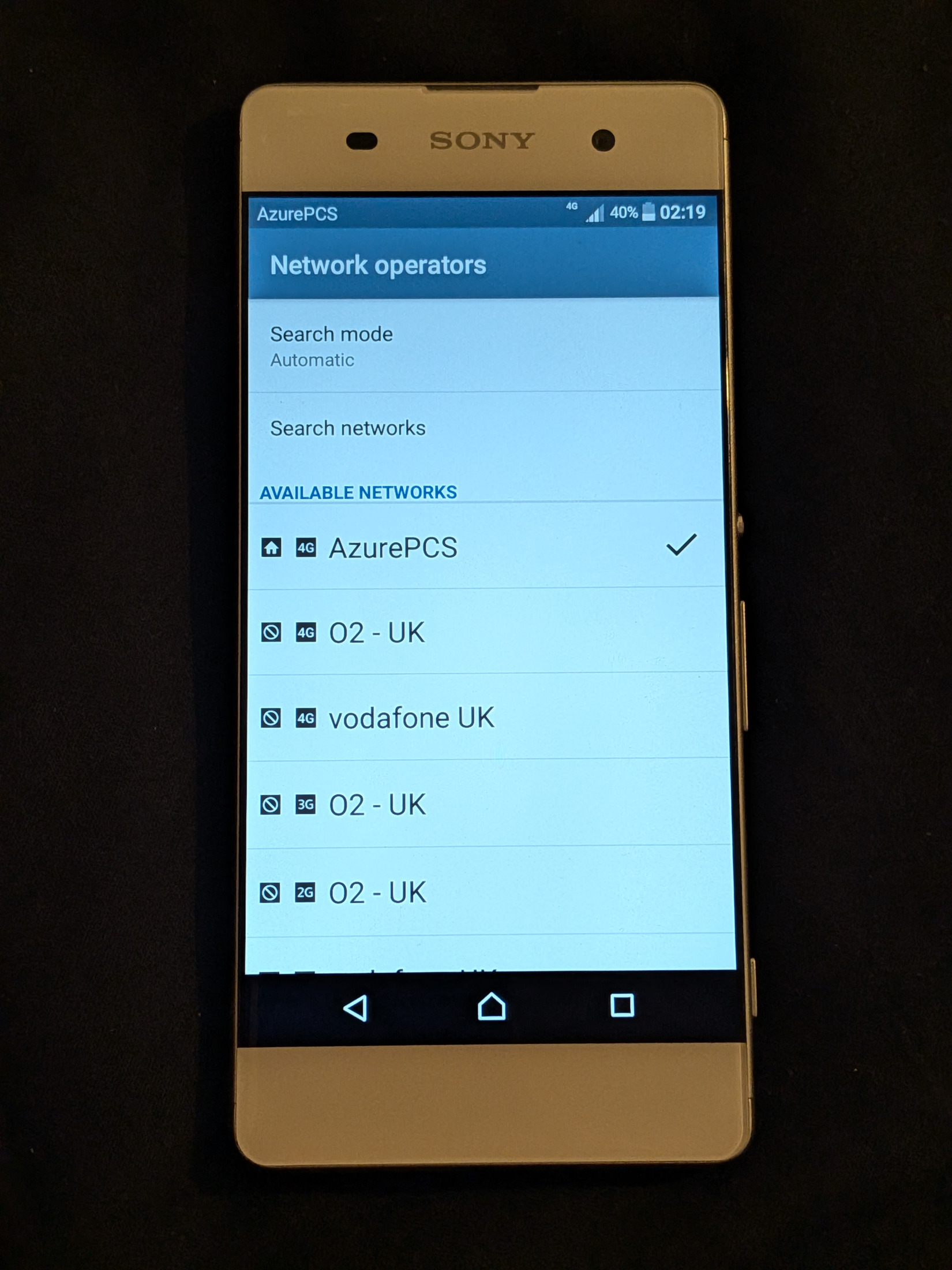
- Power the test handset off, insert the card, power it on and configure the intended mobile data APN. Select your network according to the handset instructions.
- Check the core logs for the subscriber attaching. Confirm the handset receives a data address and can reach an allowed destination with Wi-Fi disabled.
- Record the result against the inventory name. Repeat with the second card before moving to calls or additional users.
If authentication fails, check transcription, MNC length, the chosen algorithm and the distinction between OP and OPc. Check the card's own supplied record before attempting to reprogram it. A failure does not mean the card is defective. Keeping the original supplier record unchanged makes this comparison possible.
Inspect a card without changing it
A PC/SC smart-card reader with supported USB CCID operation is a practical choice. You also need an adapter that holds the SIM securely and presents its contacts correctly. A memory-card reader that accepts microSD cards is a different device. Check support for your chosen reader and card before purchase. The LibreCellular SIM guide gives an example arrangement using a smart-card reader and a professional SIM adapter.
Use Osmocom's actual pySim project, following its installation instructions. A similarly named Python package is not necessarily the telecoms tool. Install it in an isolated environment and record the revision that you tested. The following commands assume the project's dependencies and the PC/SC service are already installed. They are inspection commands, not a programming recipe.
pcsc_scan -r
python3 pySim-shell.py -p 0
The first command lists available readers. The second starts pySim-shell using reader number zero. If more than one reader is attached, choose the number reported for the intended reader. Within the shell, a compatible card can be inspected with:
select MF
select EF.ICCID
read_binary_decoded
select ADF.USIM
select EF.IMSI
read_binary_decoded
quit
This checks inventory and subscriber identity where those files are present and readable. It does not prove that the hidden authentication key matches the core. Check that against the supplier's confidential record. The pySim-shell manual explains file selection, reader options and card-dependent permissions. Do not add an administrative credential just to make an ordinary identity inspection work.
Personalise only when you need to
Changing a card is a separate task from inspecting it. Before a write, identify the exact card model, check the manufacturer's current instructions and make a written plan for every value that will change. Use the tool's options for that specific card rather than a command copied for a different product. Read the existing identity first and compare the ICCID with the intended supplier record.
Do not guess the ADM1 credential. For sysmocom cards, repeated wrong ADM1 attempts can permanently lock administrative access. Stop after an unexpected authentication error and resolve the record mismatch with the supplier. Do not try every code in a spreadsheet until one works.
After an authorised change, verify the readable identity, update the matching core subscriber and test attachment again. Keep the old and new inventory history securely so that you know which configuration is current. Maintain sequence-number checks and the authentication protections recommended by the card and core projects. Turning off a protection to hide a mismatch can turn a useful troubleshooting clue into a lasting weakness.
When a card is lost, disable its subscriber in the core promptly and issue a replacement with new credentials. Removing a name from an inventory list does not revoke network access. When retiring cards, account for both the physical item and the matching core entry.
Further reading
Use the card manufacturer's manual for model-specific programming, the pySim-shell manual for inspection commands, and the legacy pySim provisioning documentation when maintaining a card workflow that explicitly uses pySim-prog.