
In this chapter
The activation check
- The licence has been issued and covers this location, indoor installation, frequency, bandwidth and EIRP.
- The radio is the correct Band 40 variant, configured for that grant, with a working supported timing source.
- The radio, MME and SIM have matching PLMN and MNC length. TAC matches the MME.
- The MME, HSS, serving gateway and packet gateway remain healthy.
- The phone's actual model variant supports Band 40 and your chosen carrier bandwidth.
- The firewall is loaded, the WebUI and database are private, and the phone pool is routed through ogstun.
- You have one known subscriber, its matching USIM and a private copy of the settings.
If these pass, enable RF using the radio's supported menu. Note the time so you can correlate events with the core log. Use the minimum appropriate authorised output for the test, and remain within the licence conditions.
Set up the test phone
- Power off the phone, insert the test USIM and power it on. For an eSIM, install the supplied profile as described in the eSIM chapter.
- Choose that SIM for mobile data. Disable data switching or automatic use of another SIM for this test.
- Turn Wi-Fi off. Leave a normal independent communications option available; do not rely on the test network for urgent calls.
- In mobile network settings, create an APN named
internet. Use APN typedefaultwhere Android requests it and protocol IPv4. Leave user name and password blank unless your subscription design explicitly requires them. - If MCC and MNC are editable, preserve 999 and the two-digit 99 for this example. Some phones fill these from the SIM automatically.
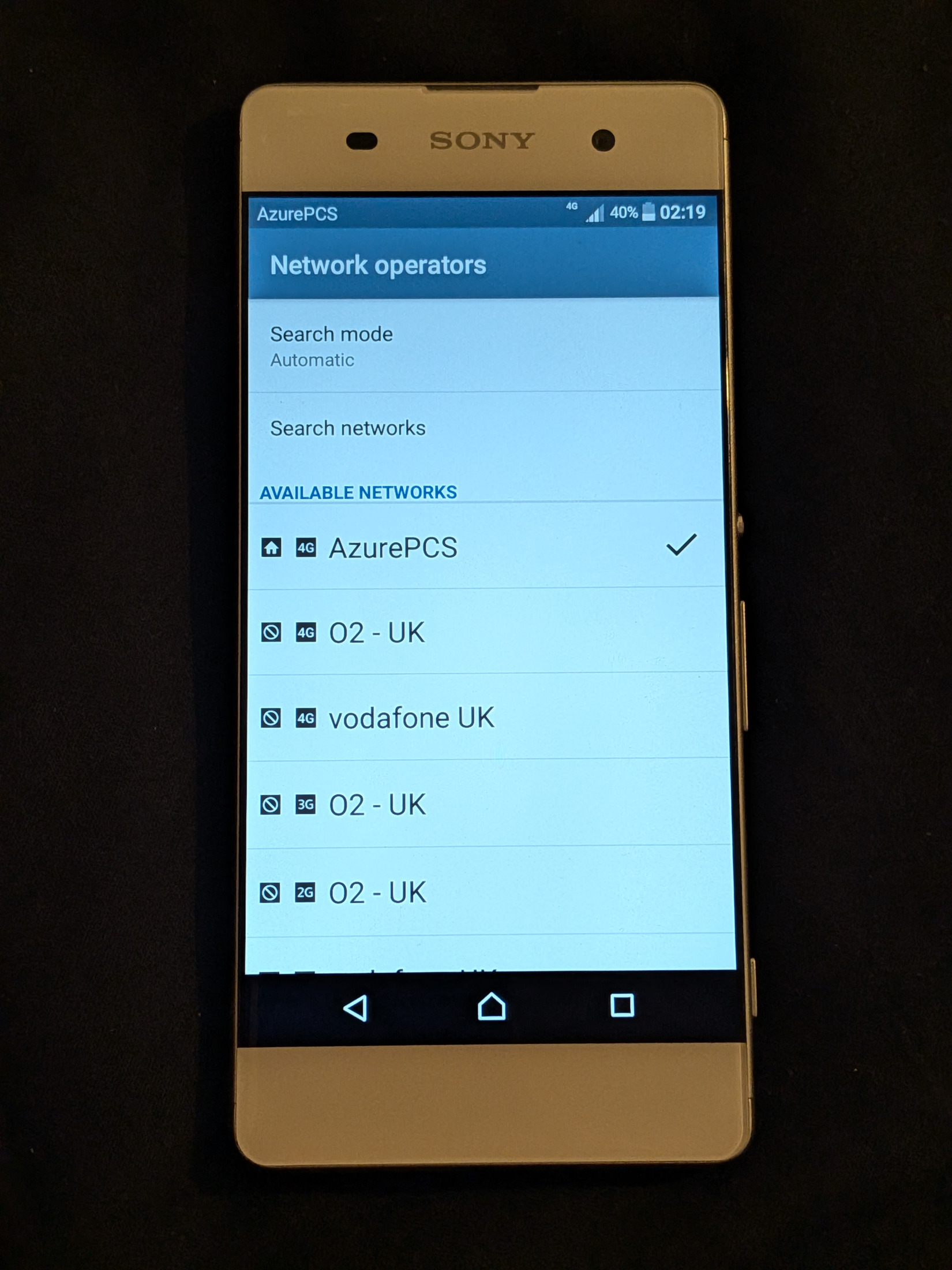
- Select LTE/4G as an allowed network mode. In manual network selection, choose your private network if automatic selection does not choose it.
- Toggle airplane mode once to request a fresh attachment. Allow time for network selection instead of rapidly changing several settings.
Menu names vary between Android versions and iPhone models. Some iPhones or carrier-controlled profiles do not expose arbitrary APN editing. A device that does not allow the needed private-network configuration may be unsuitable even when its radio band list looks correct. If Android requires data roaming for your private test identity, first disable other SIM data and understand any remaining commercial SIM costs before changing that setting.
Watch the attachment
The command below watches the Open5GS MME. For the VectorCore branch, use sudo journalctl -u vectorcore-mme -f on vc-control and the gateway checks in that chapter.
sudo journalctl -u open5gs-mmed -fLook for a phone joining, a successful authentication and a created data bearer. Exact log wording varies. Stop the view with Ctrl+C. An authentication rejection means you should return to SIM credentials and PLMN settings. An APN rejection points to the subscription and phone APN. A registered eNodeB with no phone activity points towards radio, band, SIM selection or device compatibility.
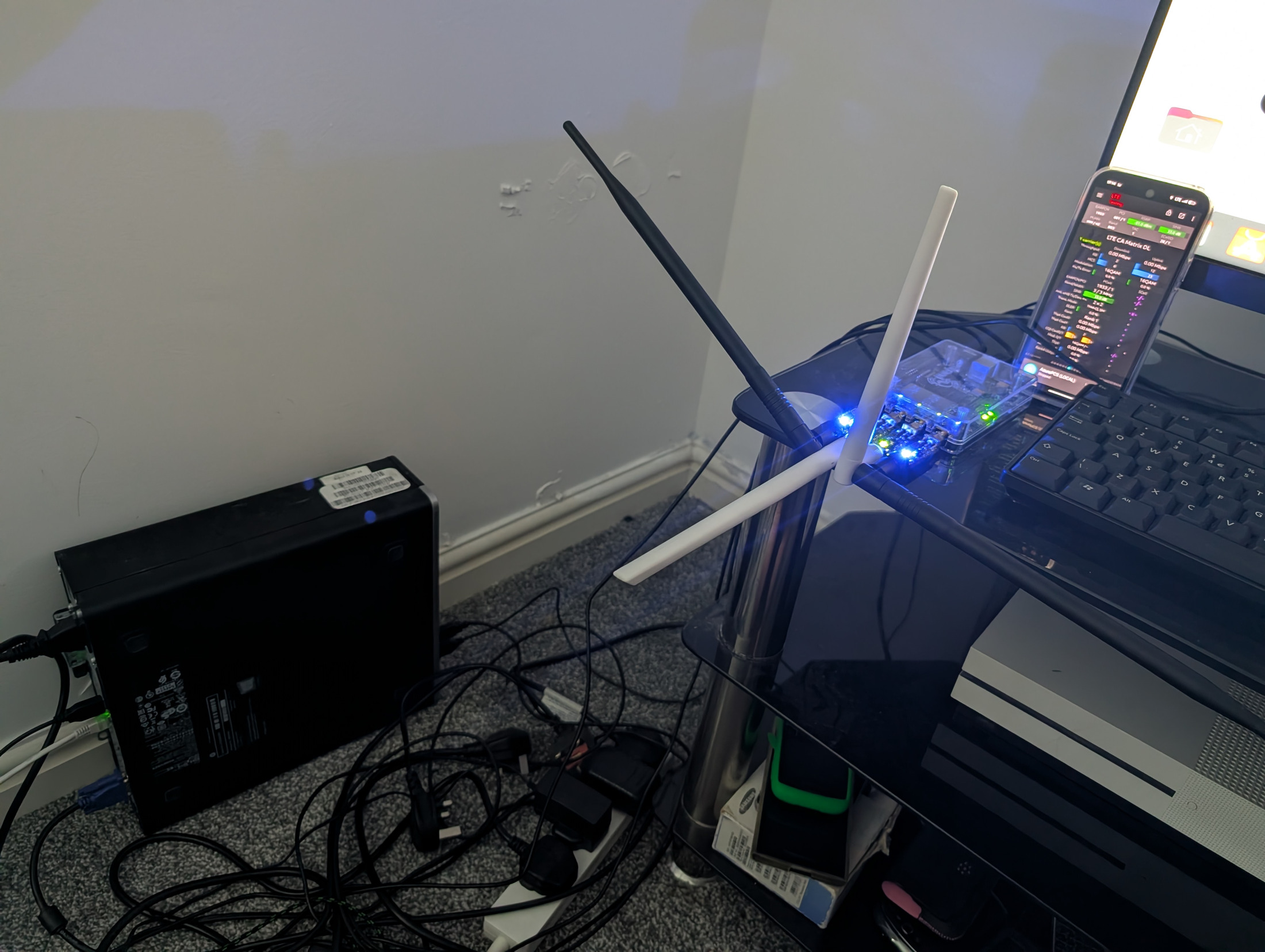
In the radio's status screen, confirm an attached UE. UE means user equipment, usually your phone. The PC should show traffic on ogstun when the phone sends data:
ip -s link show ogstun
sudo nft list table inet private_lte
sudo tcpdump -ni ogstun -c 20
That capture can contain personal traffic. Use your own test device, avoid opening private accounts during capture and do not share the capture publicly. You normally need only the interface counters for routine checks.
Test the experience in a useful order
| Test | Expected result | What it tells you |
|---|---|---|
| Confirm Wi-Fi and other-SIM fallback are off | Only the test network carries the browser session. | Avoids a false success from your normal connection. |
| Inspect mobile status | An address in 10.45.0.0/16 and the intended PLMN. | A data session and address assignment exist. |
| Open a simple HTTPS website | A valid page loads without certificate errors. | DNS, routing, NAT and application transport work together. |
| Try a second independent website | Another HTTPS page loads. | Avoids mistaking a cached page or one-site issue for success. |
| Leave the phone idle, then browse again | Traffic resumes without manually reattaching. | Idle reachability and session recovery work. |
| Load the home router, PC admin page and radio page | Connections fail from mobile data. | The subscriber is separated from management. |
| Reboot the PC and then repeat | Addresses, firewall, core and data return automatically. | The setup is persistent rather than a one-session accident. |
If you can reach an external IP in a test tool but not a name, inspect DNS. A browser pointed at an arbitrary numeric HTTPS address can fail certificate checks even when routing works, so do not use that as your only diagnosis and never ignore certificate warnings.
Measure without turning one result into a promise
Once simple browsing works, try a short speed test against a destination you are permitted to use. Record download, upload, latency, the time, handset, distance and radio signal quality. The result is shared airtime, backhaul and core behaviour at that moment. A strong signal is not a guarantee of high throughput.
RSRP describes reference-signal strength. RSRQ and SINR help describe quality and interference. Compare results in the same place before changing antenna placement or power. A phone next to the base station can behave differently from one at the edge of a building. Do not raise output beyond the licence to fix a problem that is actually timing, interference or backhaul.
Save your first known good build
Record the package versions, date, firmware, card nickname, address plan and successful tests. Save encrypted configuration and database backups as described in operations. Keep public screenshots free of IMSIs, SIM authentication material, activation QR codes, telephone numbers and private administration addresses.
You now have a useful milestone: your own SIM, radio and core provide a private LTE data session. Repeat it reliably before adding more subscribers, another site or IMS.